
Creating educational content for children can be a time-consuming process. From writing stories and designing illustrations to creating videos, coloring books, and printable activities, creators often need multiple tools to complete a single project.
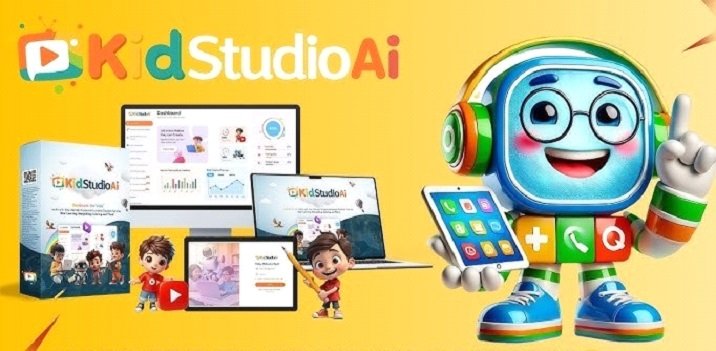
KidStudioAI aims to simplify this process by combining several AI-powered content creation features into one cloud-based platform. According to the official sales information, the software is designed to help users create children’s learning videos, coloring books, coloring pages, and educational resources from a single dashboard.
This review examines what KidStudioAI offers, who it may be suitable for, its strengths and limitations, and whether it appears to provide good value based on publicly available information.
Quick Verdict
KidStudioAI appears to be a useful AI-assisted content creation platform for people who want to produce children’s digital products more efficiently.
It may be suitable for:
⦁ YouTube Kids creators
⦁ Teachers and educators
⦁ Homeschool content creators
⦁ Amazon KDP publishers
⦁ Etsy printable sellers
⦁ Freelancers creating children’s content
⦁ Digital product creators
However, buyers should understand that the software itself does not guarantee income, sales, or business success. Any earnings claims should be viewed as marketing statements rather than guaranteed results.
Overall Rating: 4.3/5 based on publicly available information.

What Is KidStudioAI?
KidStudioAI is a cloud-based AI content creation platform focused on children’s educational and entertainment materials.
The software is promoted as an all-in-one solution that can help users create:
⦁ Children’s learning videos
⦁ Story videos
⦁ Coloring books
⦁ Coloring pages
⦁ Educational content
⦁ Printable resources
The main idea behind the platform is convenience. Instead of switching between separate writing tools, design software, and video editors, users can manage different parts of the creative process from one dashboard.
According to available information, KidStudioAI includes AI writing assistance, video creation features, printable design tools, and commercial licensing options.
How Does KidStudioAI Work?
The workflow appears designed to be simple, even for beginners.
Step 1: Choose a Content Type
Users can start by selecting the type of project they want to create, such as:
⦁ Story videos
⦁ Educational videos
⦁ Coloring books
⦁ Coloring pages
⦁ Printable learning materials
Step 2: Generate AI Content
The platform includes AI-assisted writing tools that can help create:
⦁ Children’s stories
⦁ Educational scripts
⦁ Narration content
⦁ Learning activities
Like most AI tools, the final quality depends on the prompts provided and the amount of human editing afterward.
Step 3: Create Videos and Visual Content
KidStudioAI promotes AI-powered video creation features that can help users turn ideas and scripts into children’s videos.
Potential uses include:
⦁ Educational lessons
⦁ Storytelling videos
⦁ Kids entertainment content
⦁ Online learning materials
The platform also includes coloring book and coloring page creation features, allowing users to develop printable products around different themes.
Step 4: Edit and Publish
The software includes editing capabilities designed to help users adjust their projects before publishing.
Possible publishing destinations mentioned include:
⦁ YouTube Kids
⦁ Amazon KDP
⦁ Etsy
⦁ Shopify
⦁ Personal websites
These are possible use cases, not guarantees of marketplace approval or financial success.
Main Features of KidStudioAI
AI Kids Video Creator
This is one of the platform’s main features. It is designed to help users create children’s videos using AI-assisted scripts and media creation tools.
This may be useful for creators who want to produce educational videos more quickly.
AI Coloring Book Creator
The coloring book generator allows users to create themed coloring books.
Possible categories include:
⦁ Animals
⦁ Nature
⦁ Educational topics
⦁ Fantasy themes
⦁ Children’s activities
This feature may appeal to Amazon KDP publishers and digital product sellers.
AI Coloring Page Generator
The coloring page feature focuses on creating individual printable designs.
These may be useful for:
⦁ Classroom worksheets
⦁ Homeschool activities
⦁ Etsy downloads
⦁ Printable bundles
Built-In Editor
KidStudioAI includes editing tools intended to reduce the need for external software.
However, the full range of editing options has not been independently documented.
Commercial License
According to the official sales page, a commercial license is included. Users should still review the license terms carefully before selling products created with the software.
Pricing and Refund Policy
According to the available information, KidStudioAI was offered at a front-end price of $16.95 during the promotional launch period.
A Pro upgrade priced at $37 was also publicly available, although the complete funnel structure could not be independently verified.
The vendor advertises a 30-day money-back guarantee.
Since software pricing and upgrade offers can change, buyers should always check the current checkout page before purchasing.
Pros and Cons
Pros
⦁ Combines multiple children’s content tools in one platform
⦁ Cloud-based and accessible online
⦁ Includes AI writing and content creation features
⦁ Supports coloring books and printable resources
⦁ Includes commercial licensing according to vendor information
⦁ Beginner-friendly positioning
⦁ May reduce the need for multiple software subscriptions
Cons
⦁ Creator information is not clearly disclosed publicly
⦁ Some income claims cannot be independently verified
⦁ Limited independent user reviews are available
⦁ AI-generated content still requires human review
⦁ Professional creators may need more advanced animation tools
Who Should Consider KidStudioAI?
KidStudioAI may be a good fit for people who want to create children’s content faster.
Teachers and Educators
Teachers may use the platform to create:
⦁ Learning materials
⦁ Worksheets
⦁ Educational stories
⦁ Classroom activities
Amazon KDP Publishers
The software may help publishers create initial ideas for coloring books and children’s activity books.
However, success on Amazon depends on quality, research, competition, and marketing.
Etsy Sellers
⦁ Coloring pages
⦁ Activity packs
⦁ Educational downloads
Freelancers and Agencies
Freelancers could potentially use the platform to create children’s content for clients, depending on licensing permissions.
Who Should Avoid KidStudioAI?
This software may not be ideal for:
⦁ Users expecting guaranteed profits
⦁ Professional animators requiring advanced tools
⦁ People wanting completely finished content without editing
AI can speed up production, but creators still need to check quality, improve originality, and add human creativity.
Final Verdict
KidStudioAI presents an interesting approach to AI-powered children’s content creation. Its biggest advantage is its niche focus. Instead of being a general AI tool, it concentrates on videos, coloring books, and printable educational products.
For teachers, creators, publishers, and digital product sellers, it may help reduce the time needed to develop children’s content.
However, buyers should keep realistic expectations. The platform is a creative assistant, not a guaranteed business solution. Success will depend on content quality, marketing strategy, audience demand, and consistent effort.
Overall, KidStudioAI looks like a promising option for beginners and creators who want an easier way to produce children’s digital content, while understanding that human creativity and business strategy remain essential.